Product & interface design
CARDSY
- Role
- UX Design, UI Design, Branding & Prototyping
- Type
- Mobile App Concept
- Year
- 2026
Overview
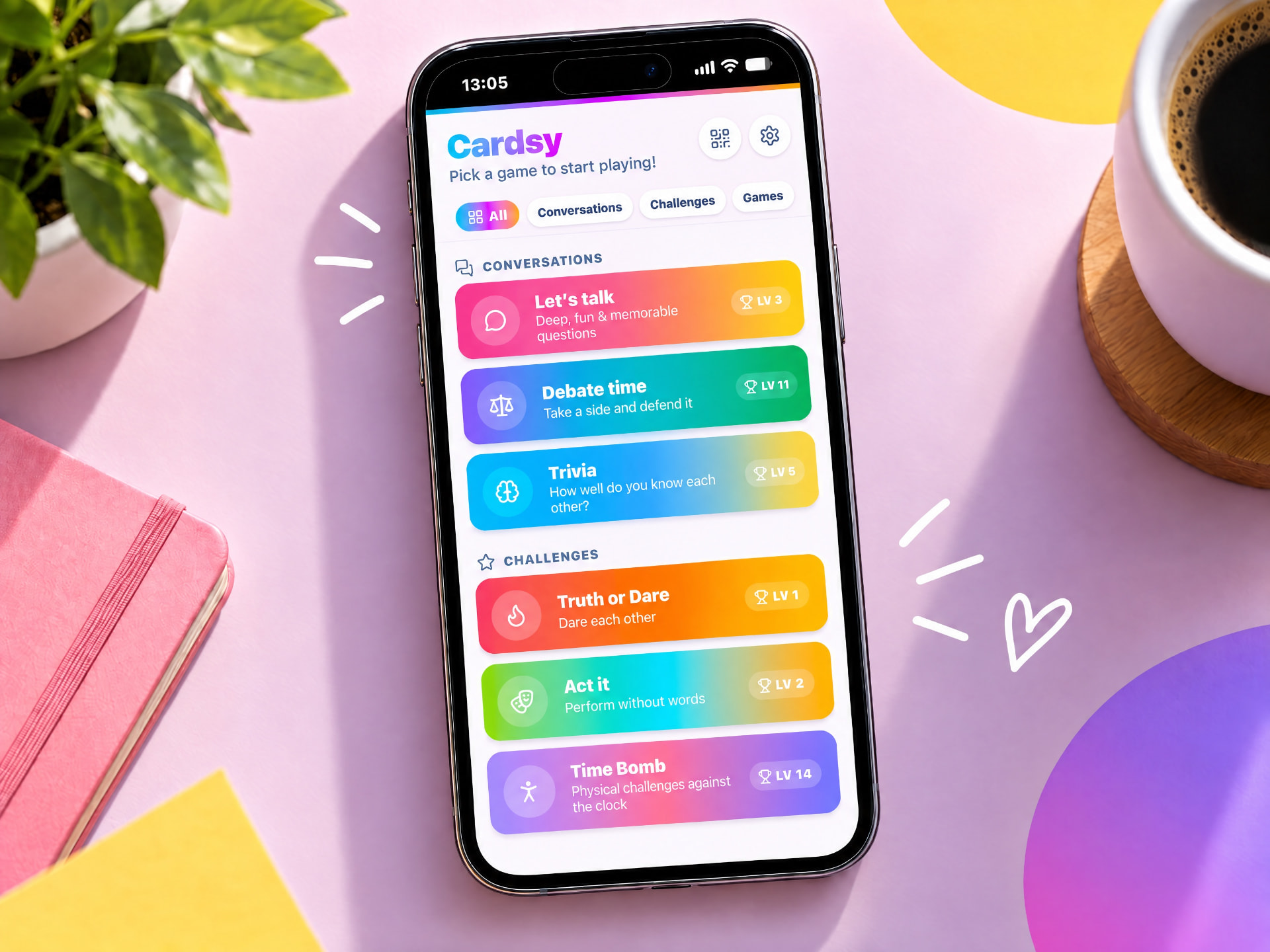
Cardsy is a mobile app that brings multiple social card games into one experience. Instead of downloading separate apps or switching between different platforms, users can access a collection of games designed for parties, casual gatherings and social play. Players swipe through digital cards containing questions, challenges and discussion prompts, creating a simple and engaging way to keep conversations and gameplay moving.
The Idea
The concept originated from a simple observation: social games should be easy to start. Existing solutions often require users to switch between apps, learn different interfaces or rely on physical card decks. Cardsy was designed to remove this friction by bringing multiple games into a single, accessible platform.
Before
- Many Apps
- Multiple Interfaces
- More Friction
Cardsy
- One Platform
- Multiple Games
- Less Friction
Product Strategy
Easy Access
Users should be able to launch a game quickly without setup or unnecessary complexity.
Consistent Experience
Every game follows the same interaction patterns and navigation structure, reducing the learning curve.
Designed for Social Play
The focus is on helping groups spend less time navigating and more time playing together.
User Flow
The experience was designed to minimise barriers and keep gameplay moving. From opening the app to switching games, every step is short, predictable and focused on getting the group playing.
- Open App
- Browse Games
- Select Game
- Select Game Topic (or mix)
- Start Playing
- Switch Games Seamlessly
Interface Design
The interface was designed to make social games easy to discover, learn and switch between. Consistent patterns, clear navigation and lightweight progression help create a seamless experience across the entire app.
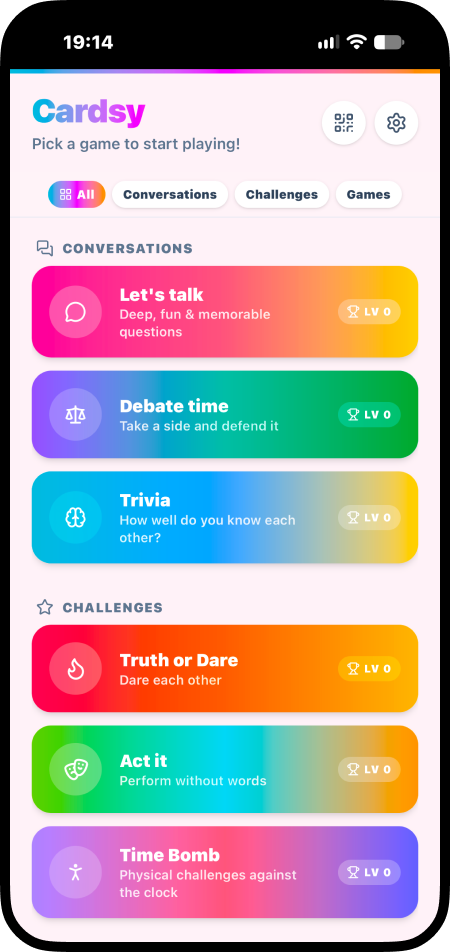
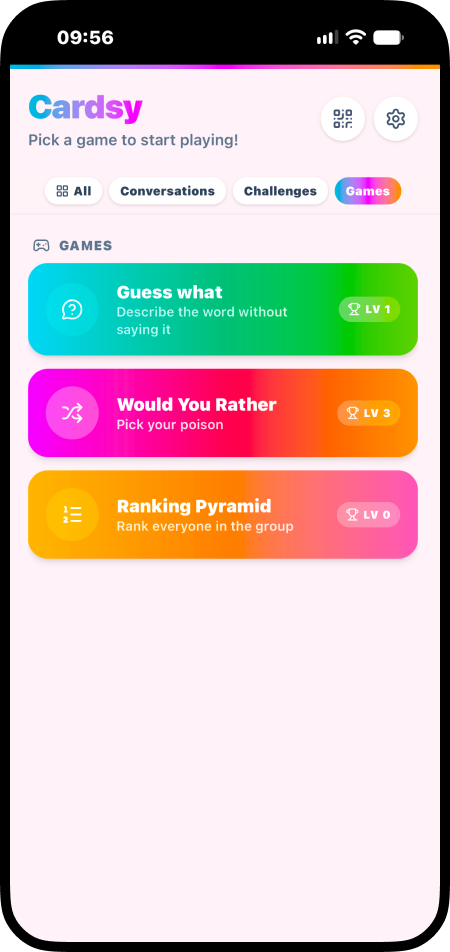
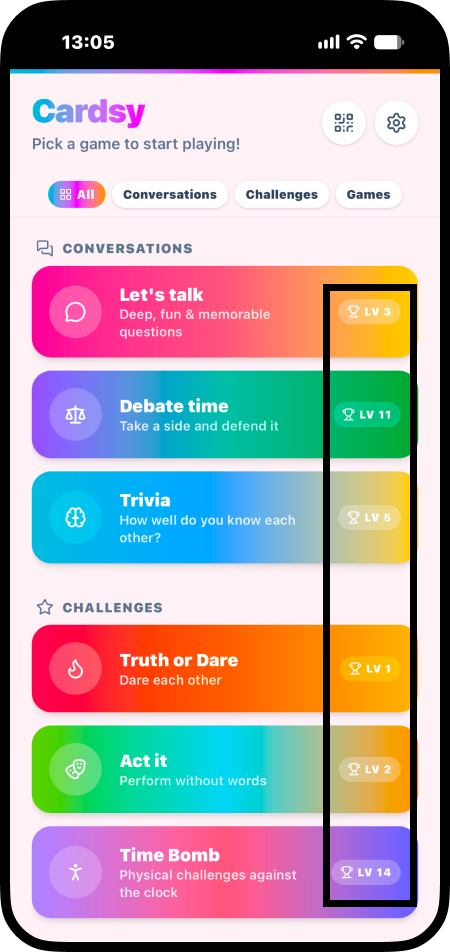
Game Hub
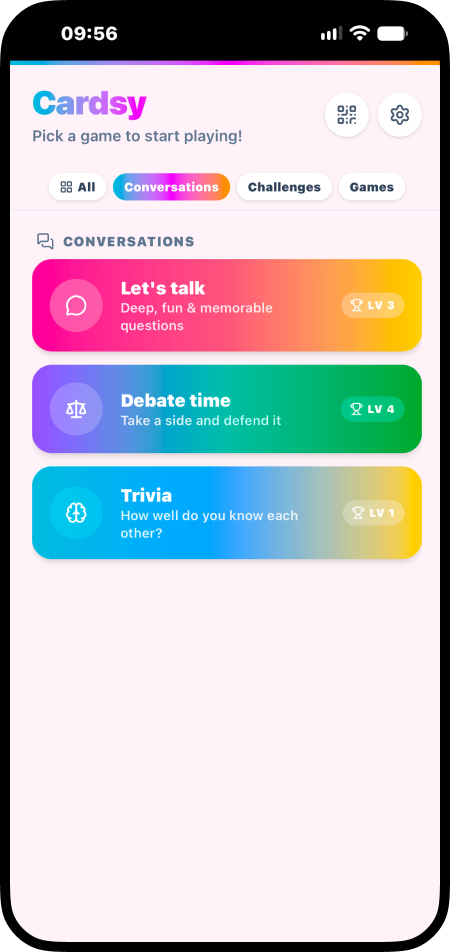
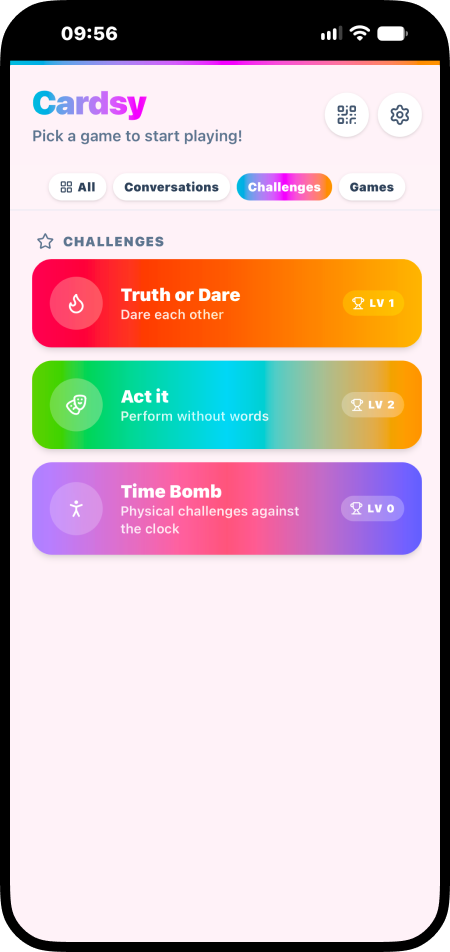
The home experience serves as a central hub where players can quickly browse, filter, and jump into different game modes. By combining a main view with clear category tabs, the architecture makes it easy to navigate all 9 games without breaking the social interaction.
Game Experiences
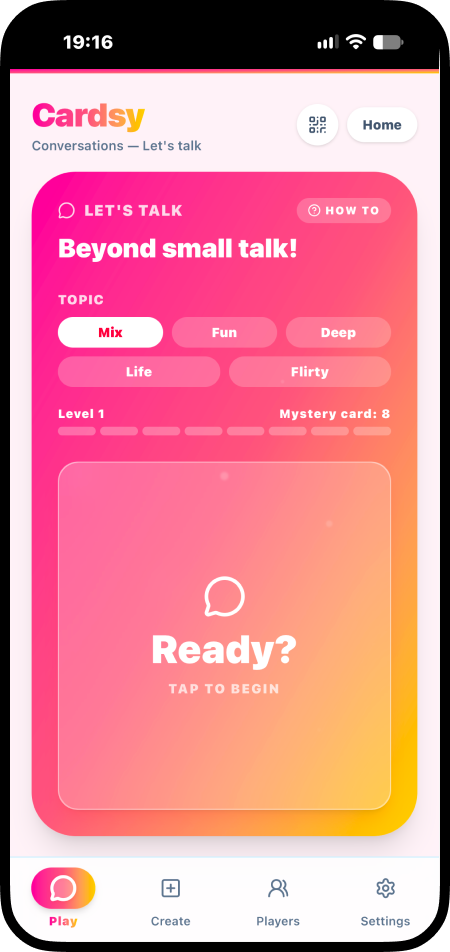
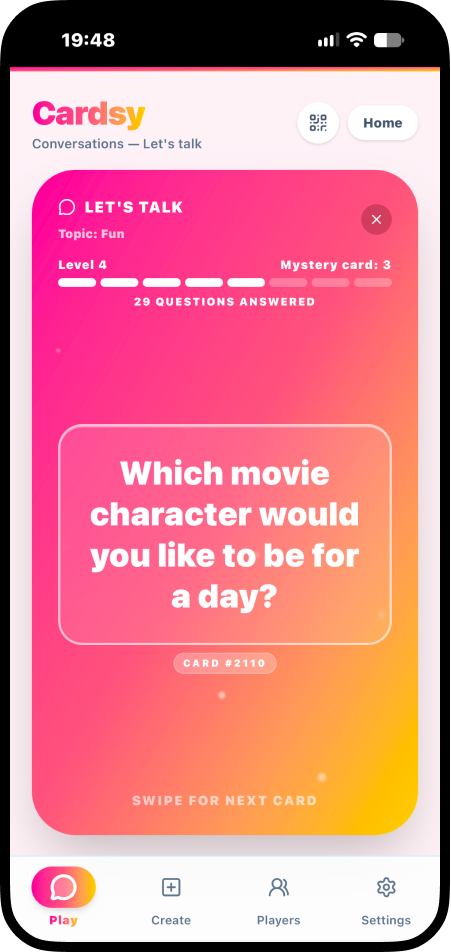
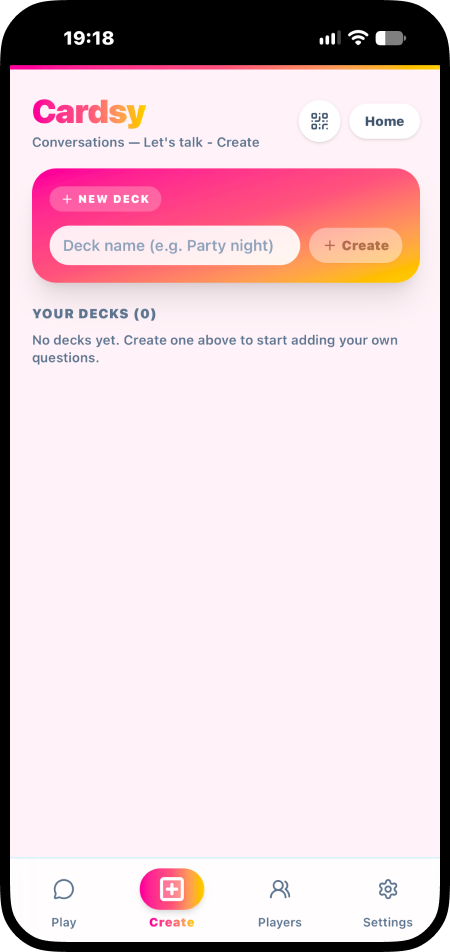
All games follow a consistent structure and visual language, with only minor variations to support different gameplay formats. This helps reduce friction and allows players to switch between games without needing to relearn the interface.
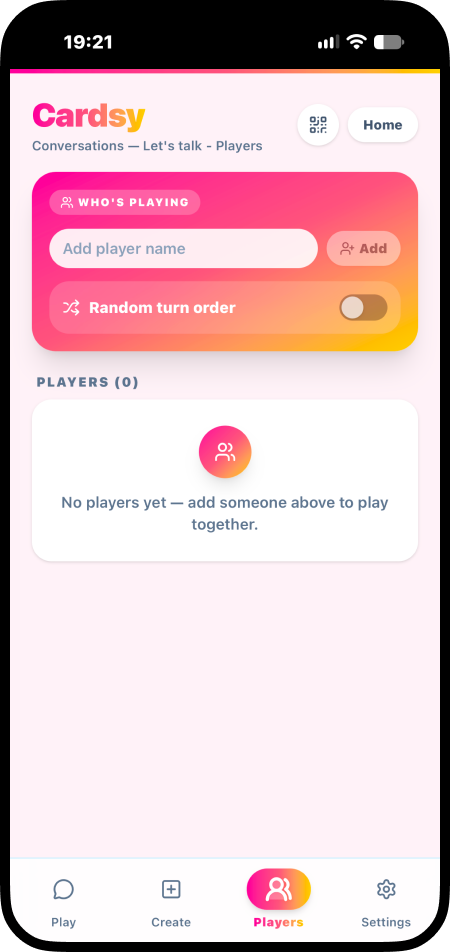
Progress & Motivation
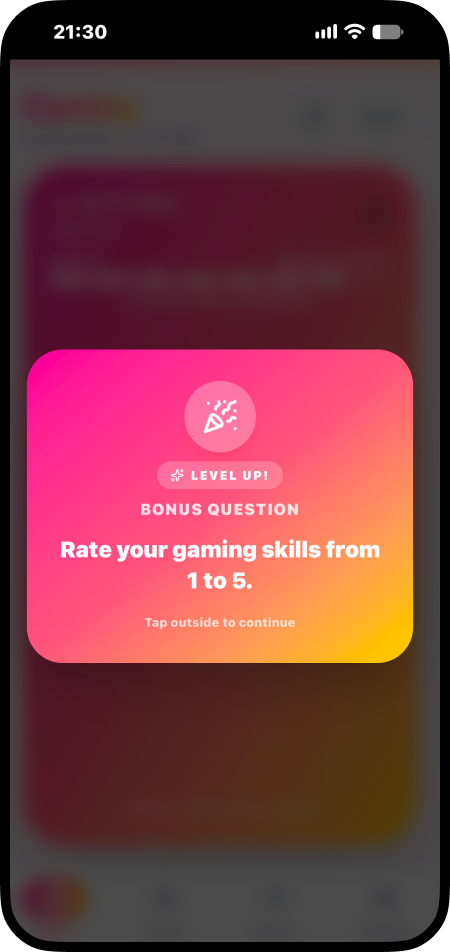
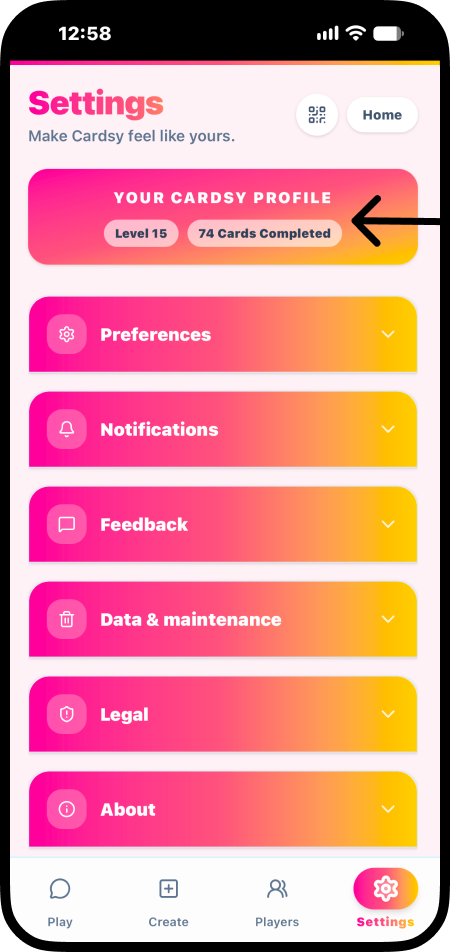
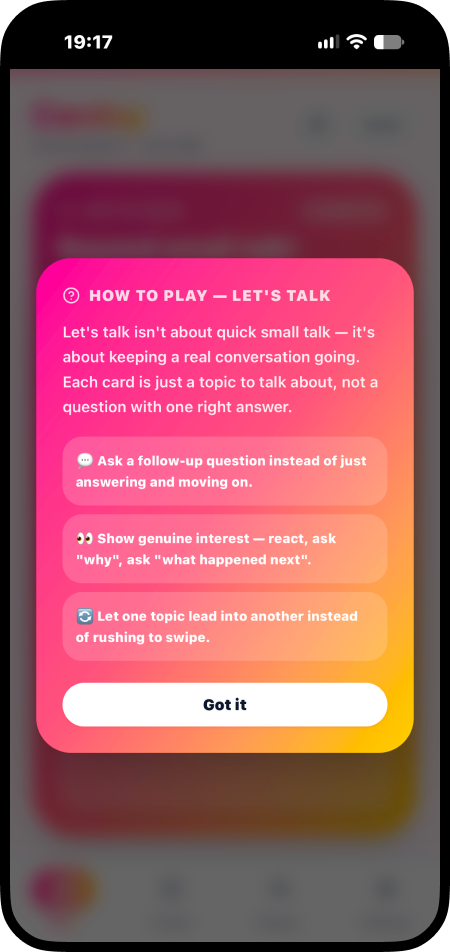
A lightweight progression system was introduced to encourage continued engagement and replayability. Levels and rewards provide a sense of achievement while keeping the focus on the social experience rather than competition. Clear “How To” guides are available within each game, helping players quickly understand the rules and jump into the experience with minimal friction.
Reflection
Lessons learned
Building Cardsy taught me how visual design, user experience, and functionality work together. I learned that designing an app is about more than making individual screens look good. Every part needs to work together to create an experience that feels simple and clear.
I also learned how important it is to consider how people use an app in real life. Since Cardsy is made for people playing together, the app had to be easy to use without taking attention away from the game or the conversation. Designing several games within one app also taught me the value of keeping navigation and features consistent, so users can focus on playing instead of figuring out how the app works.
Biggest challenges
One of the biggest challenges was balancing consistency and variety across the app. Since Cardsy includes multiple games, the experience needed to feel familiar no matter which game users were playing. At the same time, each game needed its own identity and gameplay to keep the experience engaging.
Another challenge was organising questions across different games and topics. Each game needed questions that suited its purpose, while keeping the categories clear and easy to understand. This helped users know what to expect from each game and find the type of content they were looking for.
Future improvements
Cardsy could be improved in the future by suggesting games based on users interests, adding more question types and offering more ways to customise each game. These features could help users discover new games and make each session more personal, while keeping the app simple and easy to use.